Newsletter Subscribe
Enter your email address below and subscribe to our newsletter
Enter your email address below and subscribe to our newsletter

 ByJohn A
Submitting a resume online is now one of the most common ways to apply for jobs. But before your resume reaches a hiring manager, it often goes through an Applicant Tracking System, commonly known as ATS. This software helps employers scan, sort, and filter applications based on job requirements.
That means your resume must do two things well. First, it must be easy for ATS software to read. Second, it must still look professional and convincing when a recruiter reviews it. A beautiful resume that cannot be scanned properly may never reach human eyes, while a plain resume without strong achievements may pass the system but fail to impress the employer.
The good news is that creating an ATS-friendly resume is not difficult when you understand what the system looks for. With the right layout, keywords, section headings, and formatting, you can increase your chances of passing ATS screening and getting shortlisted for interviews.
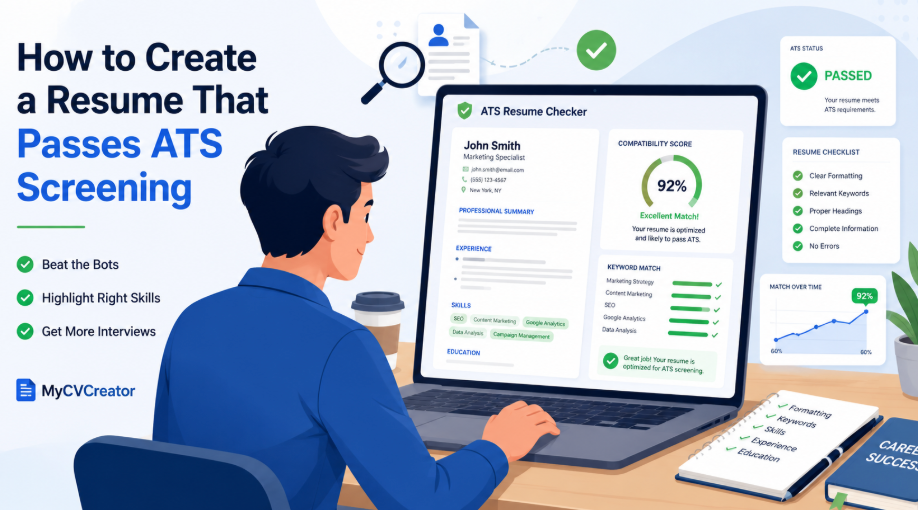
This guide explains how to create a resume that passes ATS screening and how an ATS Resume Checker can help you identify problems before you apply.
ATS screening is the process employers use to review resumes with applicant tracking software. Instead of manually checking every application, companies use ATS tools to scan resumes for important information such as:
The system may rank resumes based on how closely they match the job posting. If your resume lacks relevant keywords, uses confusing formatting, or has sections the software cannot read, it may receive a low score.
This is why job seekers need to create resumes that are both ATS-friendly and recruiter-friendly.
See also: Why Strategic Delegation is the Secret to a First-Class Degree
Many qualified candidates lose opportunities because their resumes are not formatted correctly. ATS software may struggle with resumes that include:
For example, if you use an icon for your phone number instead of writing “Phone,” the ATS may not understand it. If your skills are placed inside a graphic or image, the system may ignore them completely.
A good resume should be clean, readable, and structured in a way that both software and humans can understand.
The first step to passing ATS screening is using a simple and professional format. While creative designs may look attractive, they can confuse ATS software if they rely heavily on design elements.
Use a resume layout with:
Good fonts include Arial, Calibri, Georgia, Times New Roman, Helvetica, and Verdana. Avoid overly decorative fonts because they may not display correctly across different systems.
Your resume does not need to be boring. It should look polished, but the design should never make the content difficult to read.
ATS software is trained to recognize common resume sections. If you use unusual headings, the system may not understand where your information belongs.
Use clear headings such as:
Avoid creative headings like:
A recruiter may understand these headings, but ATS software may not. Standard headings improve your resume’s readability and help the system place your information correctly.
One of the most important ATS resume tips is to tailor your resume for each job. Many applicants send the same resume to every employer, but ATS software compares your resume against the specific job description.
Start by reading the job posting carefully. Look for repeated words, required skills, tools, qualifications, and responsibilities. Then include the most relevant ones naturally in your resume.
For example, if a job description mentions:
“Project management, stakeholder communication, budget tracking, and reporting”
Your resume should include those terms if they honestly match your experience.
A strong bullet point could be:
Managed project timelines, stakeholder communication, budget tracking, and weekly reporting for a cross-functional team.
Do not copy the job description word for word. Instead, use the right keywords naturally while showing real experience and results.
Keywords are one of the biggest factors in ATS screening. These keywords usually come from the job description and may include:
For example, a digital marketing role may include keywords such as:
A customer service role may include:
The best way to use keywords is to place them naturally in your summary, skills section, and work experience. Avoid keyword stuffing. A resume filled with repeated keywords but no real evidence may pass software screening but fail recruiter review.
Your professional summary should quickly explain who you are, what you do, and why you are a strong fit for the role. For ATS purposes, this section is also a good place to include important job-related keywords.
Example:
Results-driven digital marketing specialist with experience in SEO, content strategy, Google Analytics, paid advertising, and email marketing. Skilled at improving website traffic, optimizing campaigns, and using data insights to increase conversions.
This summary includes relevant keywords while still sounding natural and professional.
Avoid vague summaries like:
Hardworking professional looking for a good opportunity in a reputable organization.
That type of summary does not help ATS screening and does not tell the recruiter what value you bring.
ATS software may scan for keywords, but recruiters look for impact. Your work experience should not only list duties. It should show what you achieved.
Instead of writing:
Responsible for managing social media pages.
Write:
Managed social media content across three platforms, increasing monthly engagement by 35% through consistent posting and audience-focused campaigns.
Instead of:
Helped with customer service.
Write:
Resolved an average of 60 customer inquiries per day using CRM software while maintaining a high customer satisfaction rating.
Strong bullet points usually include:
This makes your resume stronger for both ATS screening and recruiter evaluation.
Your skills section should be easy to scan. Group your skills if necessary, especially if you have many technical tools or industry-specific abilities.
Example:
Technical Skills: Microsoft Excel, Google Analytics, WordPress, HubSpot, Salesforce
Marketing Skills: SEO, content strategy, email marketing, campaign reporting
Soft Skills: Communication, problem-solving, teamwork, time management
This format helps ATS software identify your skills clearly. It also helps recruiters quickly see whether you match the role.
Do not list every skill you can think of. Focus on skills that are relevant to the job.
Many employers accept PDF and DOCX files, but some ATS platforms read DOCX more accurately. Always follow the employer’s instructions. If the job posting asks for a specific format, use that format.
If no format is specified, a clean PDF or DOCX file is usually acceptable. However, avoid image-based resumes because ATS software may not be able to read them properly.
Before submitting, use an ATS Resume Checker to test whether your resume can be scanned correctly.
Some resume designs look modern but create problems during ATS screening. Be careful with:
Your name and contact information should be in the main body of the resume, not only in the header. Some ATS tools may not read header or footer content properly.
A simple design is usually safer, especially when applying through online job portals.
ATS software often compares your past job titles with the target role. You should never lie about your job title, but you can make your experience clearer by using recognizable wording.
For example, if your official title was “Client Happiness Officer,” but your role was customer support, you could write:
Client Happiness Officer / Customer Support Specialist
This helps ATS software and recruiters understand your role more clearly.
The same applies to freelance or contract work. If you worked as a freelance writer, you can write:
Freelance Content Writer
Clear job titles improve matching and reduce confusion.
If a job requires a degree, license, or certification, make sure it appears clearly on your resume. Do not hide important qualifications inside paragraphs.
Example:
Certifications
Google Analytics Certification
HubSpot Content Marketing Certification
Project Management Professional Certification
Education
Bachelor of Science in Business Administration
University of Lagos
If the job description mentions a specific certification, include the official name if you have it.
Even if your resume passes ATS screening, grammar mistakes can hurt your chances with recruiters. Your resume should be clean, professional, and easy to understand.
Review your resume for:
A resume with strong keywords but poor writing may still fail during human review. ATS optimization should improve your resume, not make it robotic.
An ATS Resume Checker helps you review your resume before sending it to employers. It can identify issues such as missing keywords, poor formatting, weak sections, and content gaps.
Using an ATS Resume Checker can help you answer important questions:
MyCVCreator makes it easier for job seekers to create professional resumes, improve their content, and prepare job applications with confidence. By using tools like an ATS Resume Checker, you can improve your resume before applying and increase your chances of getting noticed.
Here is a simple structure you can follow:
Full Name
Email Address | Phone Number | LinkedIn Profile | Location
Professional Summary
A short 3 to 4 line summary that includes your role, experience, key skills, and career value.
Skills
List relevant technical, professional, and soft skills from the job description.
Work Experience
Job Title
Company Name | Location | Dates
Education
Degree or Qualification
School Name | Date
Certifications
Relevant certifications, licenses, or training.
Projects
Optional section for portfolio work, freelance work, academic projects, or technical projects.
This structure is simple, professional, and easy for ATS systems to read.
Many job seekers reduce their chances by making simple mistakes. Avoid the following:
Small changes can make a big difference. A well-structured resume gives ATS software the information it needs and gives recruiters a reason to keep reading.
Creating a resume that passes ATS screening is not about tricking the system. It is about presenting your qualifications clearly, using the right keywords, and making your resume easy to read.
The best resume is simple, targeted, and achievement-focused. It should match the job description, use standard formatting, and clearly show why you are qualified for the role.
Before submitting your next application, review your resume carefully and test it with an ATS Resume Checker. This can help you find weak areas, improve keyword matching, and create a stronger application.
With MyCVCreator, job seekers can build professional resumes, improve their job applications, and prepare for better career opportunities with confidence.